

The hiring pipeline you won't outgrow.
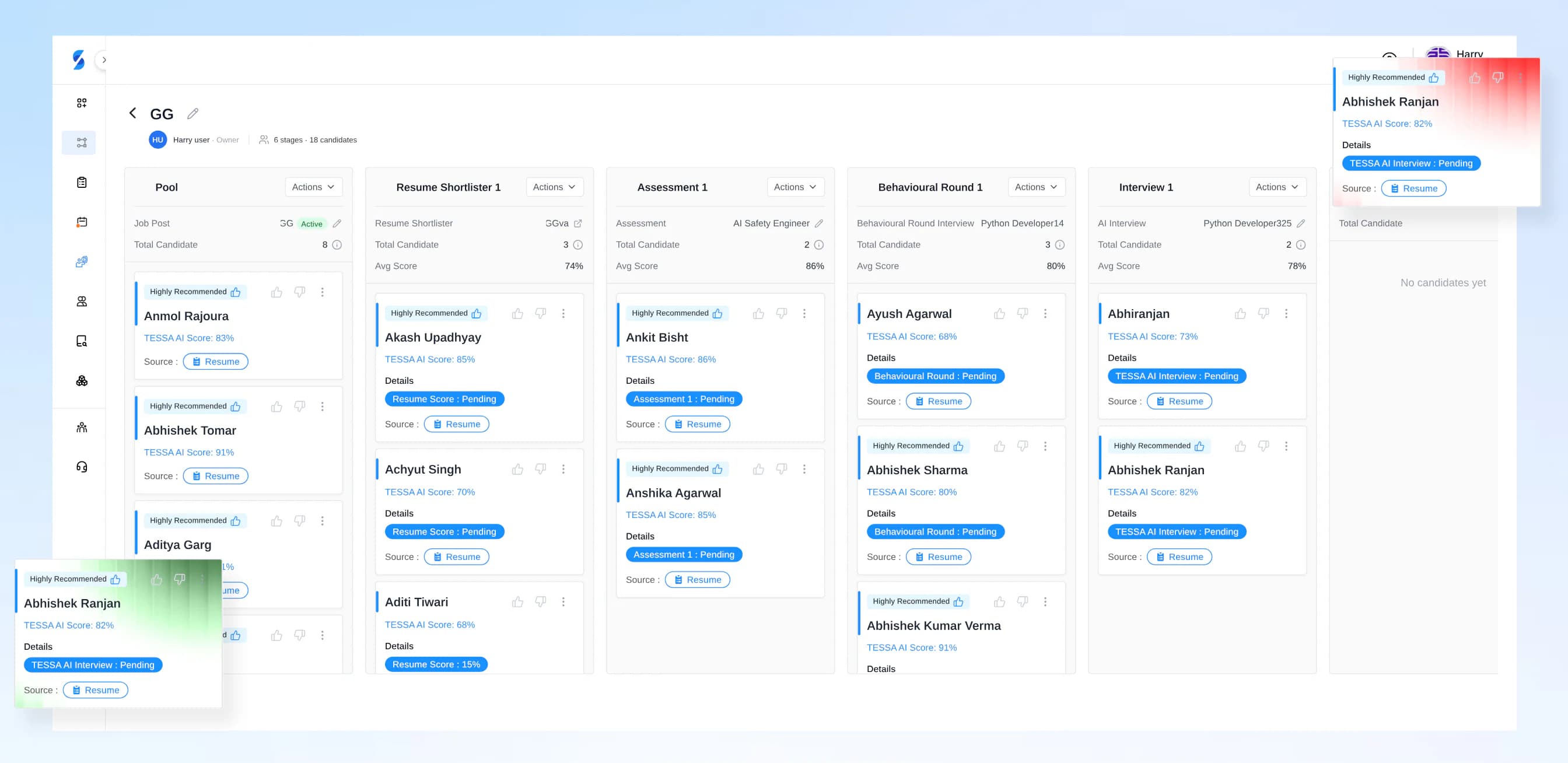
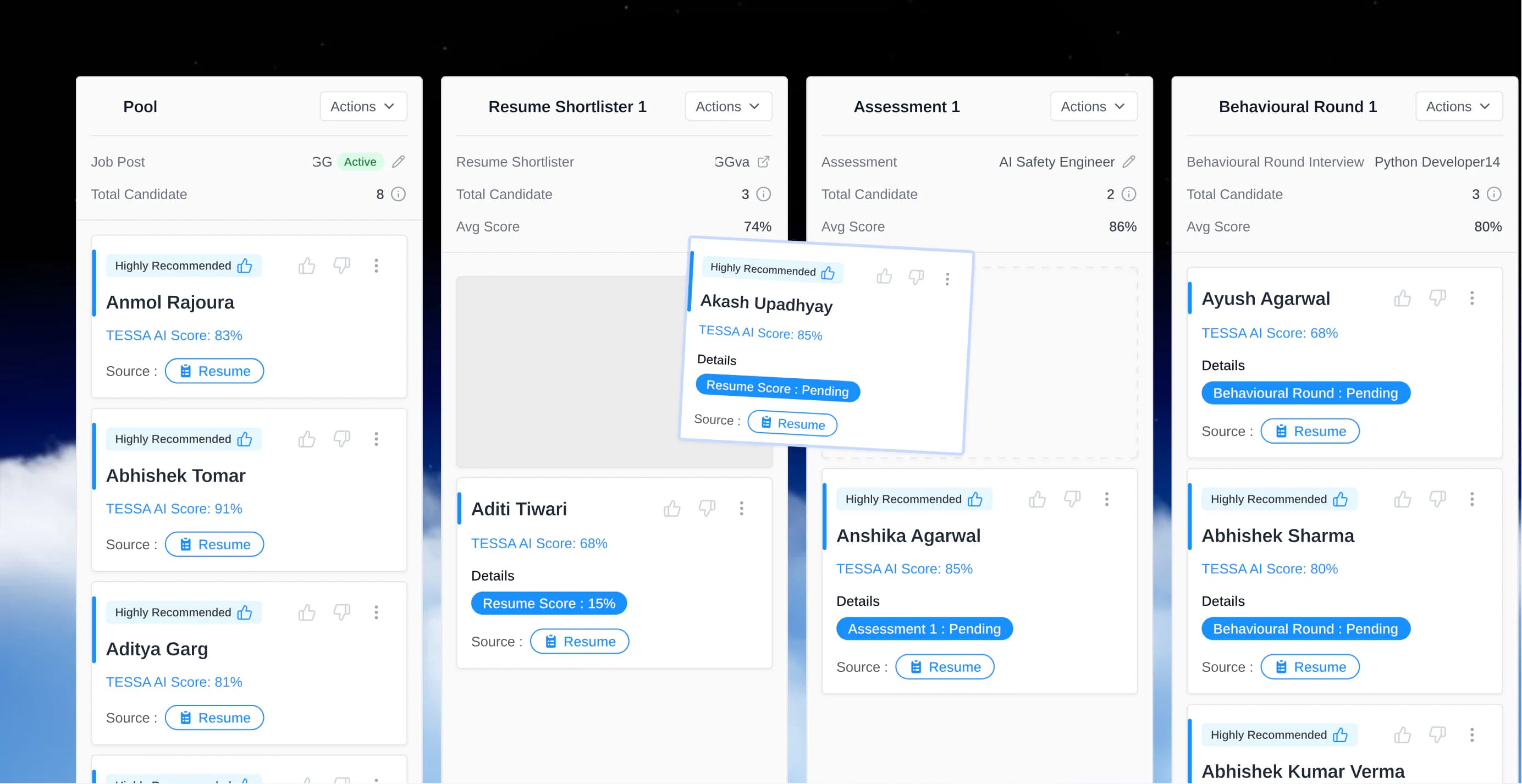
Job Profiles is SkillSauce's built-in ATS: one Kanban board per role with the job post, candidates, assessments, interviews and surveys. Free on every plan. Pool every candidate, then drag them through the lanes you design, scored by TESSA AI at every step.
- Free on every plan
- No credit card needed
- Used by 260+ teams
Live demo
Don't just watch. Try it yourself.
This board is live: drag a card to another lane, or click one to open the profile. Counts and averages update as you move candidates, and TESSA AI scores every resume that lands in the Resume Shortlister.
Press Enter to open the profile. Press the left or right arrow key to move the candidate to the previous or next stage.
Python DeveloperActive
Software & IT · 5 stages · 10 candidates
Pool
3 candidatesAvg score85%
Resume ShortlisterShortlister
2 candidatesAvg score77%
Assessment
2 candidatesAvg score86%
TESSA AI InterviewAI Interview
2 candidatesAvg score74%
Interview
1 candidateAvg score82%
Using a keyboard? Tab to a card and press the left or right arrow key to move it.
Step 01Build the pool
Every candidate, every source, one pool.
Publish, upload, discover or import. Every source lands in one pool, and each profile shows where it came from and who added it.
Publish a job post
Post the role on your Career Page. Applicants land straight in the pool.
Career PagesUpload resumes
Drop in PDF or DOCX resumes in bulk, and TESSA parses each one into a profile.
Add from your database
Bring in people you have already saved in your candidate database.
Import a CSV
Move a whole spreadsheet of candidates across in one go.
Source with Candidate Lookup
Find people who never applied, or paste a LinkedIn profile URL to bring one in.
Candidate Lookup
Step 02Shape the workflow
Add the swimlanes your team actually uses.
Every board starts with a pool of candidates. After that, add the lanes this role needs, from resume screening to the final interview.
Resume Shortlister: Rank the pool against the job profile
TESSA AI scores every resume in the lane against the job profile and shows the reasoning behind each score.
- Skill match and gaps for every candidate
- Flags such as job hopping and AI-written buzzwords
- The best fits rise to the top of the lane
Assessment: Test real skills, with AI proctoring
Send the lane a skill assessment. Every attempt is AI proctored, and the score comes back to the candidate card.
- Ready-made tests or your own, from a 320,000+ question library
- Face, gaze, voice, device and tab-switch checks on every attempt
- Coding tests in 60+ programming languages
TESSA AI Interview: Let TESSA AI run the first interview
Add TESSA AI interview rounds, including Culture Fit and Behavioural rounds. Candidates take them when it suits them, in 100+ languages.
- Two-way voice and video interviews that adapt to each answer
- Culture Fit and Behavioural rounds
- A recording, a transcript and a scored report for every candidate

Interview: Schedule the interviews that need a person
Book virtual interviews on Zoom or Google Meet, and Google Calendar invites go out to everyone involved.
- Zoom or Google Meet, whichever your team uses
- Google Calendar invites for the candidate and every interviewer
- Face-to-face interviews too
Survey: Ask the pre-screening questions first
Add a survey lane to collect pre-screening answers before anyone spends time on an interview.
- MCQ and essay questions you write
- Links that open and close on the dates you set
- Live tracking of who has responded
Step 03Decide with evidence
Open a card, get the whole candidate.
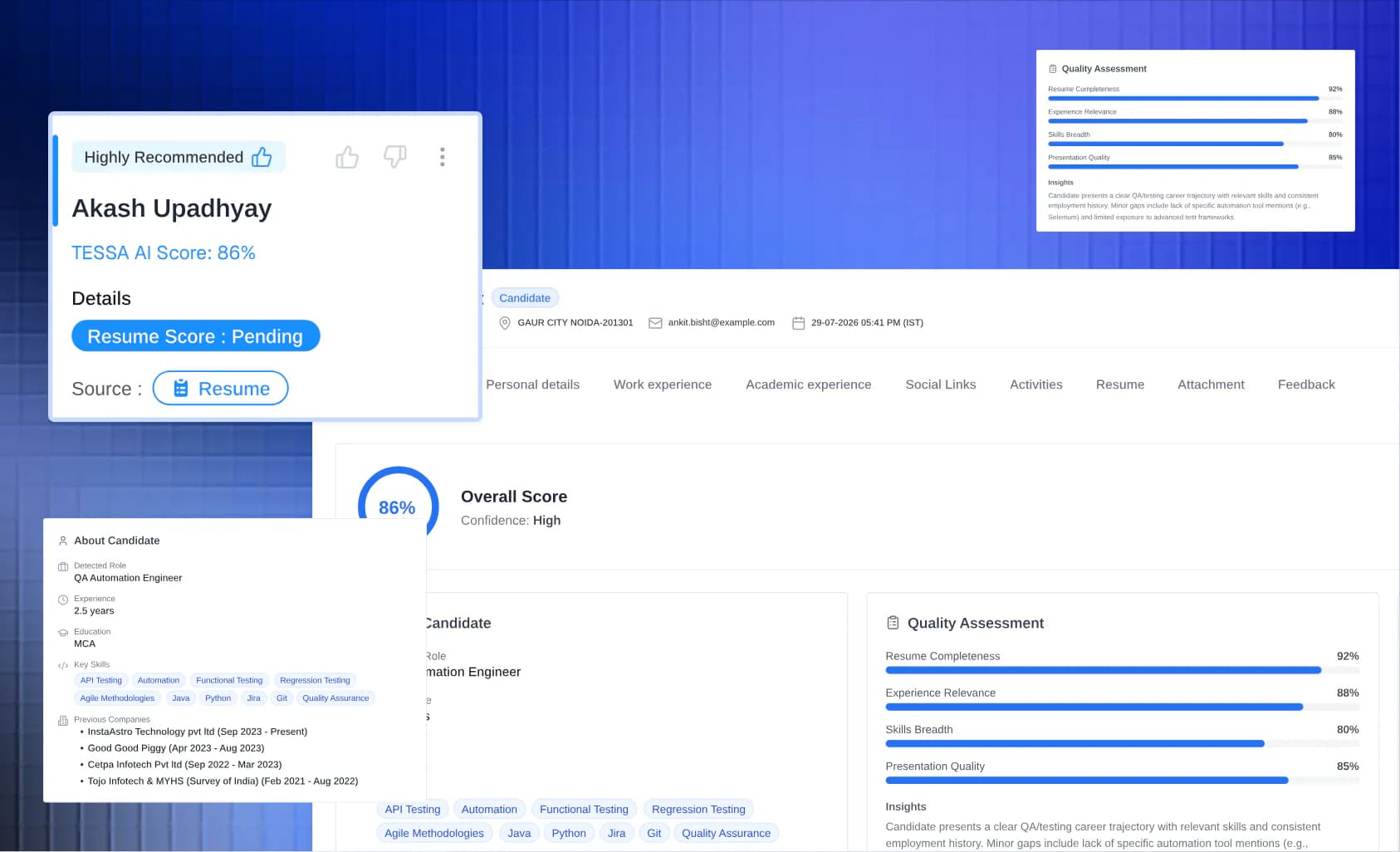
Candidate details, TESSA AI score, assessment results and the interview record sit in one connected view. Read the evidence, talk it over with your team, then make the call.
The full profile
Work and academic experience, key skills and the resume itself, parsed by TESSA AI.
A TESSA AI score with reasons
An overall score and the insight behind it, so a number never stands alone.
Assessment results
Scores from AI-proctored skill tests, with the full report one click away.
The interview record
TESSA AI interview reports with recording and transcript, plus your team's comments and feedback.

SkillSauce in numbers
- hiring teams use SkillSauce
- 260+
- languages for TESSA AI interviews
- 100+
- programming languages in coding tests
- 60+
- questions in the Question Library
- 320,000+
New in release 1.5.40
Missing an industry, role or skill?
Describe what you need and TESSA AI generates the assessment. Or submit a custom entry, and it flows straight into question generation, so even the most niche roles, skills and industries are covered.
Built for Responsible and Efficient Hiring
A shared board makes every hiring decision visible. Job Profiles keeps each step consistent and on the record.
With Job Profiles, teams can:
- Take every candidate for a role through the same stages
- See TESSA AI's reasoning beside each resume score, not just a number
- Keep comments, feedback and results on the candidate's profile, where the whole team can see them
Job Profiles trust & efficiency
One board per role keeps every candidate on the same stages, so decisions are fair, visible and quick.
Job Profiles FAQ
How the Job Profiles board works, where candidates come from, and what it costs.
What is Job Profiles in SkillSauce?+
Which stages can I add to a board?+
How do candidates get into the pool?+
How does TESSA AI score candidates on the board?+
What do I see when I open a candidate?+
Can my whole hiring team work on the same board?+
How much does Job Profiles cost?+
Put every role on one board. Free on every plan.
Start on the free Starter plan with 40 credits, no time limit and no credit card. Job Profiles is included on every plan; only AI interviews and proctored assessments use credits.
SkillSauce
One Board for Every Hire.
Run each role on its own Kanban board, free on every plan.