

Introduction
The modern ATS system has become critical for recruitment. 98% of Fortune 500 companies rely on it. 94% of recruiters report that their applicant tracking system has improved their hiring process. The challenge remains: the average hiring cycle spans 6-10 weeks, but top candidates are often available for less than 10 days. This piece will walk you through what is ATS system workbench, how this advanced ats applicant tracking system interface works, and why it's revolutionizing applicant tracking system recruitment for teams in 2026.
What is an ATS system workbench?
Definition and core purpose
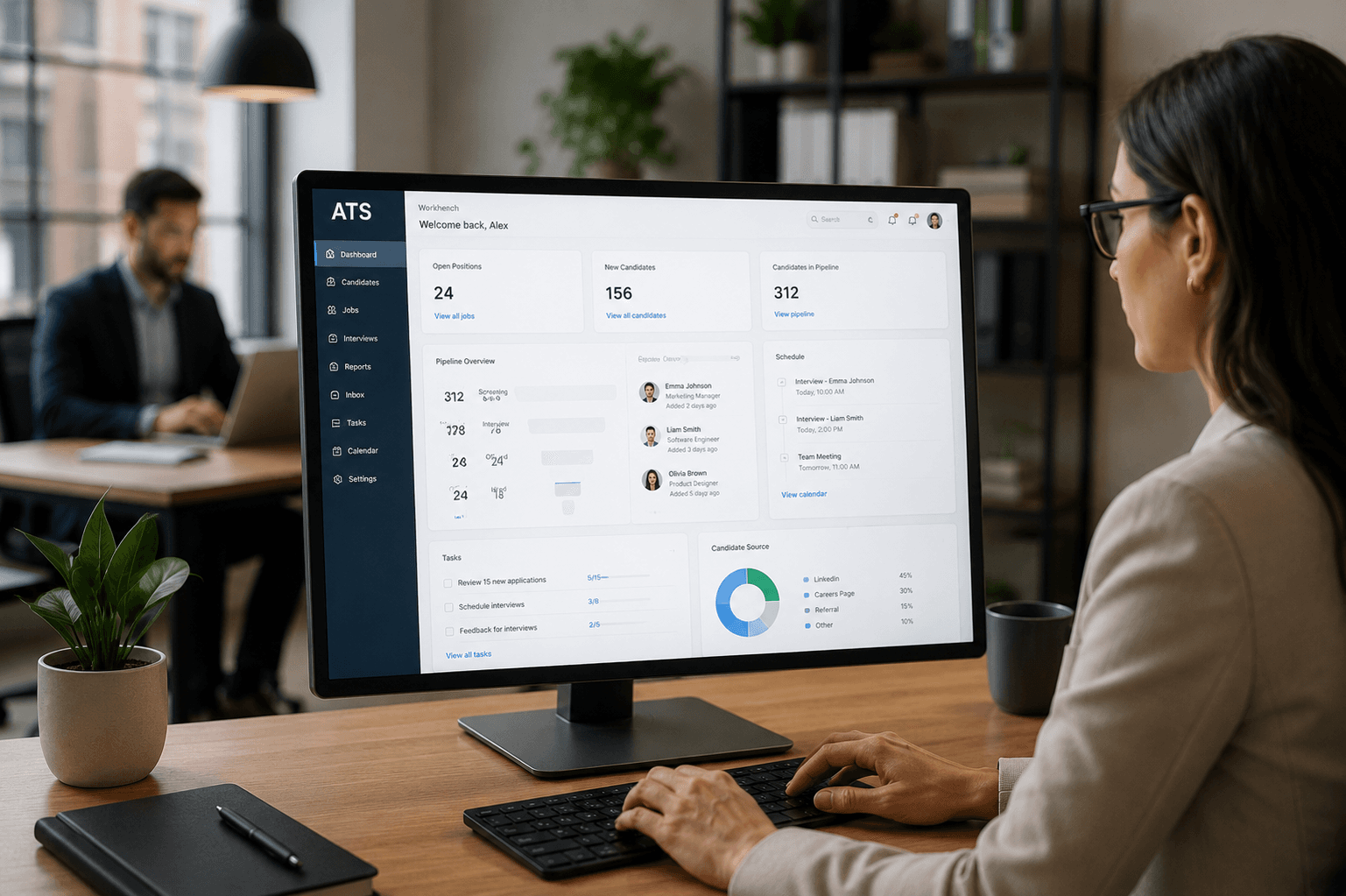
An ATS system workbench serves as a shared workspace where hiring teams manage every aspect of recruitment. It brings applications, candidate information, and hiring workflows into one centralized platform and eliminates the need to juggle spreadsheets, inboxes, and disconnected tools.
The core function centers on providing a central location and database for recruitment efforts. The workbench collects and stores applicant data at the time applications arrive. This includes the source of each application, the role applied for, and the application's current status. Manual information management that slows down hiring teams becomes unnecessary.
The workbench handles multiple critical functions beyond simple data storage. It manages job applications from start to finish and tracks where each candidate sits in the hiring process. Many platforms include job boards that share open roles across different channels and collect applications from these listings. The system also stores candidate feedback throughout the hiring process. This includes materials from take-home assessments and notes from interview sessions.
How workbench is different from traditional ATS
Traditional recruitment methods rely on emails, spreadsheets, or paper forms to track candidates. An ATS workbench transforms this approach by creating a single source of truth for all recruitment activities.
The workbench automates the screening of applications and uses algorithms to match candidates against job requirements. This screening capability helps recruiters manage high volumes of applications, which proves valuable when dealing with competitive talent markets.
The workbench reduces busywork so teams can focus on moving the right candidates forward, according to the system design. Recruiters gain faster screening and triage with a clear view of who's in the funnel and what comes next. The platform handles less manual coordination for scheduling and reminders while moving candidates through stages.
The workbench provides stronger sourcing return on investment by showing which channels deliver qualified candidates per role. Teams get better collaboration through shared interview plans and centralized feedback. Pipeline visibility makes it easier to prioritize roles, forecast progress, and remove blockers. The system delivers more consistent candidate communications that keep applicants informed without requiring extra effort.
Who uses an ATS workbench
Recruiters serve as the primary users on a daily basis. They manage applicant workflows, stay on top of communication, and keep everything organized. But the entire hiring team interacts with the workbench at various points throughout the recruitment cycle.
Hiring managers use the workbench to review applications and give structured feedback on candidates. HR professionals rely on it to ensure hiring practices remain consistent and meet compliance standards. Talent acquisition teams and executive leaders lean on the data and analytics features to plan and optimize recruitment strategies in larger organizations.
The workbench isn't limited to big corporations. Businesses of all sizes use these platforms, especially now that cloud-based solutions make the tools more available. The workbench saves time and keeps the process organized for startups and small businesses, even with limited staff. Larger companies rely on workbench tools to manage high volumes of applications and maintain consistency across teams while staying compliant with hiring policies.
The workbench supports structured hiring behind the scenes while keeping the candidate experience consistent and clear at the time it's set up properly. This shared workspace model ensures everyone involved in hiring can access the information they need without duplicating efforts or creating communication gaps.
How an ATS system workbench works
Candidate dashboard and pipeline view
Understanding how candidates move through hiring stages starts with the visual pipeline. The dashboard displays active candidates at each stage of your recruitment process and makes it simple to see where people are and what needs to happen next.
Each interview stage appears in its own column. Candidates are color-coded based on required actions. Red indicates candidates awaiting internal action like scheduling an interview or sending a test. Yellow marks candidates waiting for scorecards or feedback submission. Gray shows candidates requiring no immediate internal action, such as those with upcoming interviews that are scheduled.
The system displays up to ten candidates per column by default. Filters are available for Priority, Time in Stage, Candidate Name, Last Activity, or Date Applied. Recruiters can see how many days each candidate has spent in a stage and identify referrals. They can flag private or internal applicants at a glance.
Candidates move forward through drag-and-drop functionality. When you move someone to a stage linked to an automation rule, the system triggers that rule. This pipeline view promotes accountability and speeds up hiring. Teams get a complete picture of pipeline health.
Resume parsing and data organization
Resume parsing converts unstructured resume data into structured, searchable information your applicant tracking system recruitment process can use right away. The parser extracts candidate details through REST API and pulls contact information, educational qualifications, work experience, skills, achievements, and professional certifications. It works with 140+ data fields.
The process handles resumes in multiple formats. These include DOC, DOCX, PDF, RTF, TXT, ODT, and HTML. Optical character recognition technology translates text from images into machine-readable form. Natural language processing helps the system understand meaning and context. The parsed data returns as a clean, structured file ready for your ATS in seconds.
Workflow automation tools
Workflow automation reduces busywork and lets you focus on higher-impact projects that require problem solving and creative thinking. The system creates predefined rules, sequences, and actions that streamline repetitive tasks.
Automation handles documentation in recruitment and cuts down administrative oversight. It reduces error risk. Tasks like candidate status updates, email follow-ups, and progression through screening stages happen based on configured business rules. This boosts productivity through better processes, error-free operations, and resource use that works.
Interview scheduling interface
Interview coordination no longer requires dozens of emails and calendar checks. The scheduling interface syncs with recruiters' and hiring managers' calendars. It then sends qualified candidates open interview times via SMS, WhatsApp, chat, or email.
Candidates can select from available time slots that line up with interviewer schedules through direct calendar integration. The system handles complex scenarios. These include panel interviews, sequential interviews with different team members, and automatic rescheduling. Automated confirmations and reminders reduce no-shows. Interview prep materials get sent to both candidates and hiring managers.
Team collaboration features
The workbench combines candidate profiles, resumes, application history, interview notes, feedback, and offer status in one location. This centralized approach will give faster decisions and better collaboration between recruiters and hiring managers.
Team members leave structured feedback in candidate profiles. This reduces bias and keeps decision-making consistent. Role-based permissions control access, so interviewers can provide feedback without seeing salary notes or sensitive data. Shared notes, immediate status updates, and @mentions keep everyone aligned throughout the hiring process.
Key features of an ATS system workbench in 2026
Advanced capabilities distinguish workbench platforms from simple applicant tracking system tools. The gap between legacy systems and modern platforms has widened substantially as recruitment technology evolved.
AI-powered candidate matching
AI candidate matching applicant tracking system platforms analyze resumes with contextual understanding beyond simple keyword scanning. These systems get into skills and experience to predict candidate success potential. Advanced platforms achieve over 90% accuracy in matching candidates to roles and reduce time-to-hire by up to 63% through automated workflows.
AI-driven screening delivers 3× faster candidate review at 87% accuracy versus manual reviews. The technology ranks candidates based on skills, experience, and role suitability. This eliminates guesswork and surfaces top talent in minutes. Some systems cut time-to-hire from 45 days to under 15 through automated screening, scheduling, and candidate communication.
Customizable pipeline stages
Modern workbench platforms allow unlimited recruitment pipelines with different stages applied on a job-by-job basis. Teams can create custom statuses reflecting every hiring phase from application to offer. Each pipeline has key-stage mapping to track events in candidate progression, which remains vital for reports and analytics.
Stages can be reordered through drag-and-drop, renamed, or deleted based on workflow needs. Teams map recruitment stages to custom pipeline stages. This ensures the system tracks candidate movement throughout the process accurately.
Up-to-the-minute data analysis and reporting
Up-to-the-minute data analysis processes data streams that update continuously rather than relying on historical batch-processed information. The dashboard displays web page traffic and ranks page views with less than two minutes latency. It auto-updates on a minute-by-minute basis.
Dashboards show pipeline health, stage-by-stage conversion rates, source effectiveness, recruiter activity, and time-to-hire trends. Analytics reveal exactly where workflows slow down, whether at interview scheduling or application stages.
Mobile workbench access
Mobile ATS functionality lets recruiters scroll through resumes during commutes, source candidates anywhere, and add interview feedback to scorecards on the go. All activity syncs with the entire team in real-time automatically. Native app functionality works with iOS and Android devices and eliminates connectivity issues.
Calendar data syncs across devices with task reminders and smartphone calendar integration for organization while mobile.
Integration with recruitment tools
Integration capabilities connect workbench platforms with 40+ ATS systems through unified APIs. Platforms work with 4,000+ external apps through connectors and APIs. Native integrations have Slack, Gmail, and CRM systems while supporting major platforms like Oracle, Workday, Bullhorn, Greenhouse, and SAP SuccessFactors.
Bulk actions and automation
Bulk operations execute single actions across multiple selected items at once and save hours of repetitive work. Teams can update candidate statuses, assign account managers, or send communications to specific segments in minutes rather than hours. These actions ensure similar operations apply across all selected items and reduce variations and human error in repetitive tasks.
Benefits of using an ATS system workbench for recruiters
Organizations using ATS system workbench platforms report measurable improvements across multiple recruitment metrics. The transformation extends beyond simple digitization to fundamental changes in how we hire.
Faster candidate screening and review
Natural language processing extracts skills, experience and qualifications from resumes in seconds and eliminates manual review while ensuring consistency and accuracy. The applicant tracking system processes large volumes at once and applies predefined filters across applications. It identifies candidates with required certifications or years of experience within seconds. Organizations implementing AI-powered solutions achieve 40% faster hiring cycles. Some platforms reduce time-to-hire from 45 days to under 15 through automated screening and communication.
Improved recruiter productivity
Automation handles the heavy lifting and creates a 50% reduction in recruiter workload. Companies experience a 54% increase in recruiter capacity after implementing AI-driven solutions. HR teams can focus on strategic relationship development rather than administrative screening tasks. Recruiters gain hours back from data entry. They get time for high-value work like candidate engagement and client relationship building.
Better candidate experience
Communication remains consistent throughout the hiring process. Automated triggers send timely, stage-specific notifications including application acknowledgments, interview scheduling and follow-up reminders. This proactive approach reduces inbound queries to recruiting teams significantly and frees them to focus on high-value interactions with the strongest candidates. 78% of recruiters report that applicant tracking system recruitment platforms improved their candidate experience. Self-service candidate portals provide complete visibility into application status and treat candidates as valued customers rather than spreadsheet entries.
Improved team collaboration
Centralized candidate data eliminates scattered spreadsheets and fragmented information. Hiring teams share notes, feedback and candidate evaluations live. This promotes transparency and avoids hindrances toward faster decision-making. Consistent shortlisting signals replace disorganized processes and create clear handoffs between recruiters and hiring managers.
Data-driven hiring decisions
Built-in recruitment analytics provide detailed insights into metrics such as time-to-hire, cost-per-hire and source effectiveness. Teams compare candidates against standards using structured reports and analytics. Data-backed hiring reduces costly mis-hires. Organizations eliminate guesswork and biases to ensure they select the right candidate for the role.
Choosing the right ATS system workbench for your team
Selecting the wrong ATS system creates friction across your entire recruitment operation. Sixty-five percent of companies with high-volume recruitment needs remain dissatisfied with their current applicant tracking system. This makes the selection process critical.
Assess your recruitment volume and needs
Define your current and future recruitment needs first. Think over growth projections, hiring volume, and geographic expansion. Companies with high-volume recruitment require technology that's simple, intuitive, and mobile responsive. Organizations hiring fewer than 10 positions each year benefit from per-job pricing. Companies with continuous recruitment needs should choose per-user or flat-rate models.
Test the user interface and ease of use
Usability testing provides most important payback only when well integrated into the project lifecycle. Request demonstrations and trials of shortlisted solutions. This helps you assess usability, performance, and customization capabilities in real-life scenarios. Watch how real users complete specific tasks within the platform and identify features that may be difficult to find and use.
Check integration capabilities
Assess the ATS applicant tracking system's knowing how to integrate with other HR systems, third-party applications, and recruitment platforms. Integration connects your applicant tracking system recruitment with HRIS, payroll, and CRM platforms. Each additional integration adds $100–$500 monthly per integration to subscription fees.
Think over pricing and scalability
ATS pricing varies widely and ranges from $50 to $500+ per user monthly. Companies with 10-50 employees pay between $250 and $3,000 per year. Factor in growth projections because system switches later create additional migration costs.
How SkillSauce's ATS Workbench Fits Into Your Hiring Stack
SkillSauce's ATS workbench is built specifically for hiring teams that use structured assessments and AI interviews alongside pipeline management — not as separate tools, but as a single connected workflow.
Where standard ATS platforms manage applications and scheduling, SkillSauce connects each stage of the pipeline to assessment data and interview scores in the same view. Recruiters see not just where a candidate sits in the funnel, but how they performed on role-specific skill tests and AI-evaluated interview responses — giving hiring managers objective data at every decision point rather than just status updates.
Conclusion
An ATS system workbench has evolved from a nice-to-have tool into the backbone of modern recruitment. The benefits are clear: faster screening, better collaboration, improved candidate experience, and decisions based on data that reduce hiring mistakes that can get pricey.
Choosing the right platform requires careful evaluation of your team's specific needs, budget and growth plans. This is the most important step. We recommend testing the interface really well and checking integration capabilities before committing.
The right workbench solution does more than digitize your hiring process. You build a competitive advantage that helps you secure top talent before your competitors do.
Key Takeaways
An ATS system workbench transforms recruitment from scattered spreadsheets and emails into a centralized, AI-powered hiring command center that modern teams need to compete for top talent.
- ATS workbenches centralize all recruitment activities - eliminating juggling between spreadsheets, emails, and disconnected tools while providing real-time pipeline visibility for faster decision-making.
- AI-powered matching achieves 90% accuracy - reducing time-to-hire by up to 63% through automated screening that ranks candidates based on skills and experience rather than simple keyword matching.
- Automation cuts recruiter workload by 50% - handling resume parsing, interview scheduling, and candidate communications automatically while improving team collaboration through shared feedback systems.
- Mobile access and real-time analytics drive productivity - enabling recruiters to review candidates anywhere while providing data-driven insights on source effectiveness and pipeline bottlenecks.
- Proper platform selection requires testing volume needs - evaluating user interface, integration capabilities, and scalability before committing, as 65% of high-volume recruiters remain dissatisfied with their current systems.
The shift from traditional hiring methods to workbench platforms isn't just about digitization—it's about building a competitive advantage that helps secure top talent before competitors do, especially when top candidates are only available for less than 10 days in today's market.
FAQs
An ATS system workbench acts as a centralized recruitment workspace where hiring teams can manage applications, candidate information, and hiring workflows in one place. It streamlines hiring operations while improving visibility across the recruitment pipeline.
ATS workbenches automate repetitive tasks like resume screening, interview scheduling, and candidate communication. This reduces manual workload and allows recruiters to focus more on candidate engagement and strategic hiring decisions.
Yes, ATS systems can automatically filter resumes based on predefined job requirements such as skills, experience, qualifications, and keywords. This helps recruiters quickly identify the most relevant candidates from large applicant pools.
Modern ATS platforms include AI-powered candidate matching, customizable hiring pipelines, analytics dashboards, mobile accessibility, automation workflows, and integrations with HR and recruitment tools to improve hiring speed and accuracy.
Choose an ATS based on your hiring volume, scalability needs, ease of use, integration capabilities, automation features, analytics support, and pricing structure. Testing demos and trial versions can help identify the best fit for your recruitment workflow.